Pregrade
A native macOS app that pre-grades a trading card against PSA, BGS, TAG and ACE standards — so collectors submit with confidence and stop guessing.
Card grading costs £15–£30 a card and takes months. Send in the wrong card and you've paid to learn it's a 7, not the 10 you hoped for. Pregrade is a native macOS app that pre-grades a card against PSA, BGS, TAG and ACE standards — so collectors submit with confidence and stop guessing.
The problem
Grading is a leap of faith. A collector eyeballs a card, decides it "looks mint," pays the fee, waits three months — and often gets a grade well below what they expected. The gap between looks good and grades well is where money is lost, because grading companies don't average flaws. A single rounded corner or a nick on one edge caps the entire card, no matter how perfect the other three sides are.
Pregrade's job is to close that gap before the card is mailed: give the collector a defensible, per-company estimate and, crucially, tell them what is holding the grade back.
What it does
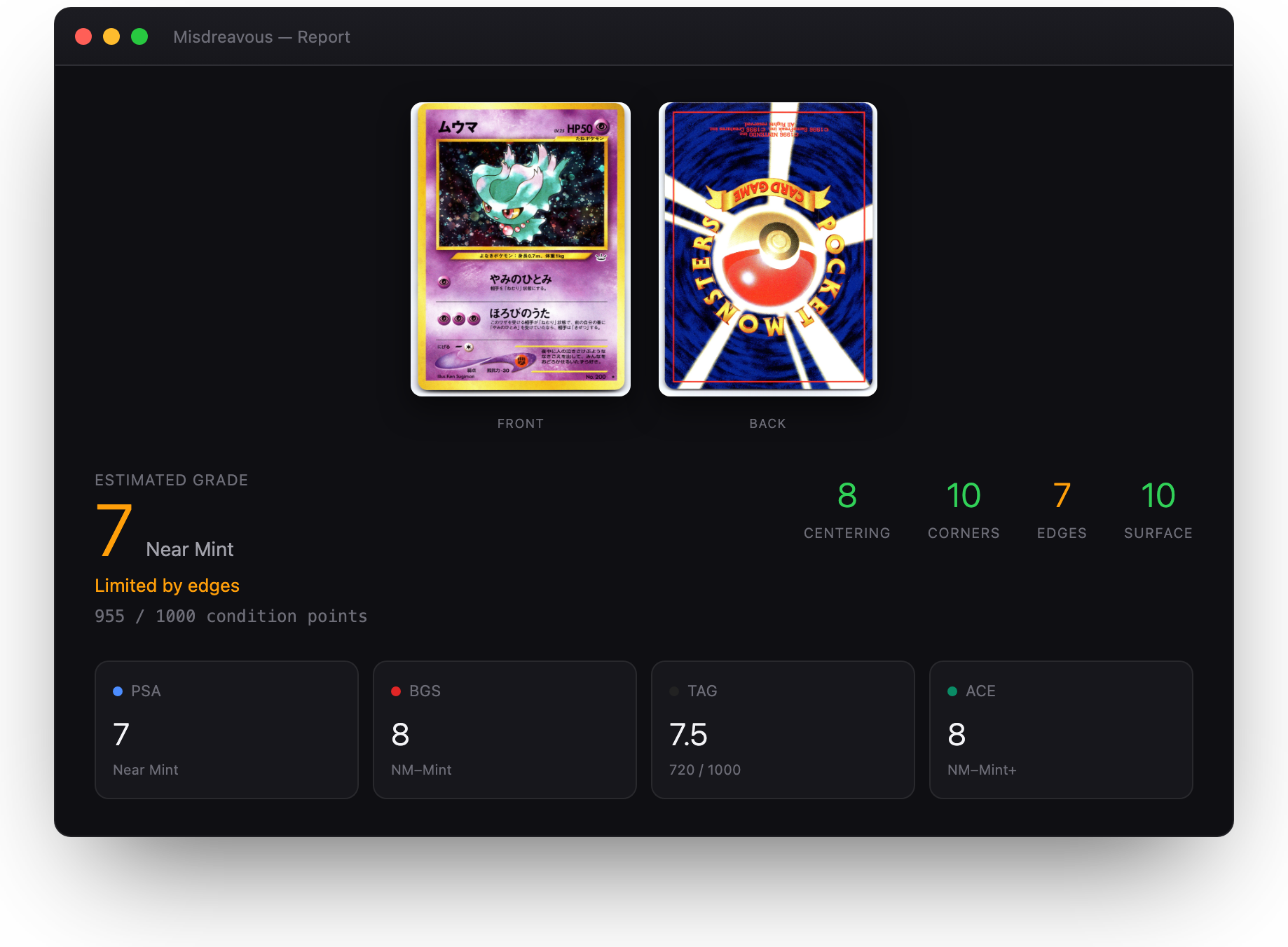
The app walks a card through the same four pillars the grading companies use, then predicts an outcome for each major grader. Each pillar produces a 0–10 subgrade; the overall grade is the floor of the four.

Key decisions
1. On-device, no AI bill
An earlier version leaned on a cloud "vision AI" service. I cut it. For a solo, pre-revenue product, a per-request API bill on every scan is a business risk, and it made the app feel like a thin wrapper. Everything now runs locally — Apple's Vision framework for OCR, Core Image for surface analysis, and hand-written contrast/texture geometry for centering. Faster, private, and free to run.
2. The scan is the product's ceiling
The single biggest determinant of accuracy is the input. A phone photo adds skew, glare and lens distortion that break sub-millimetre measurement. So onboarding doesn't bury this in a bullet list — it makes it a dedicated, unmissable screen with a good-vs-bad visual, then teaches the mechanics (300 dpi minimum, plain contrasting background, both faces).
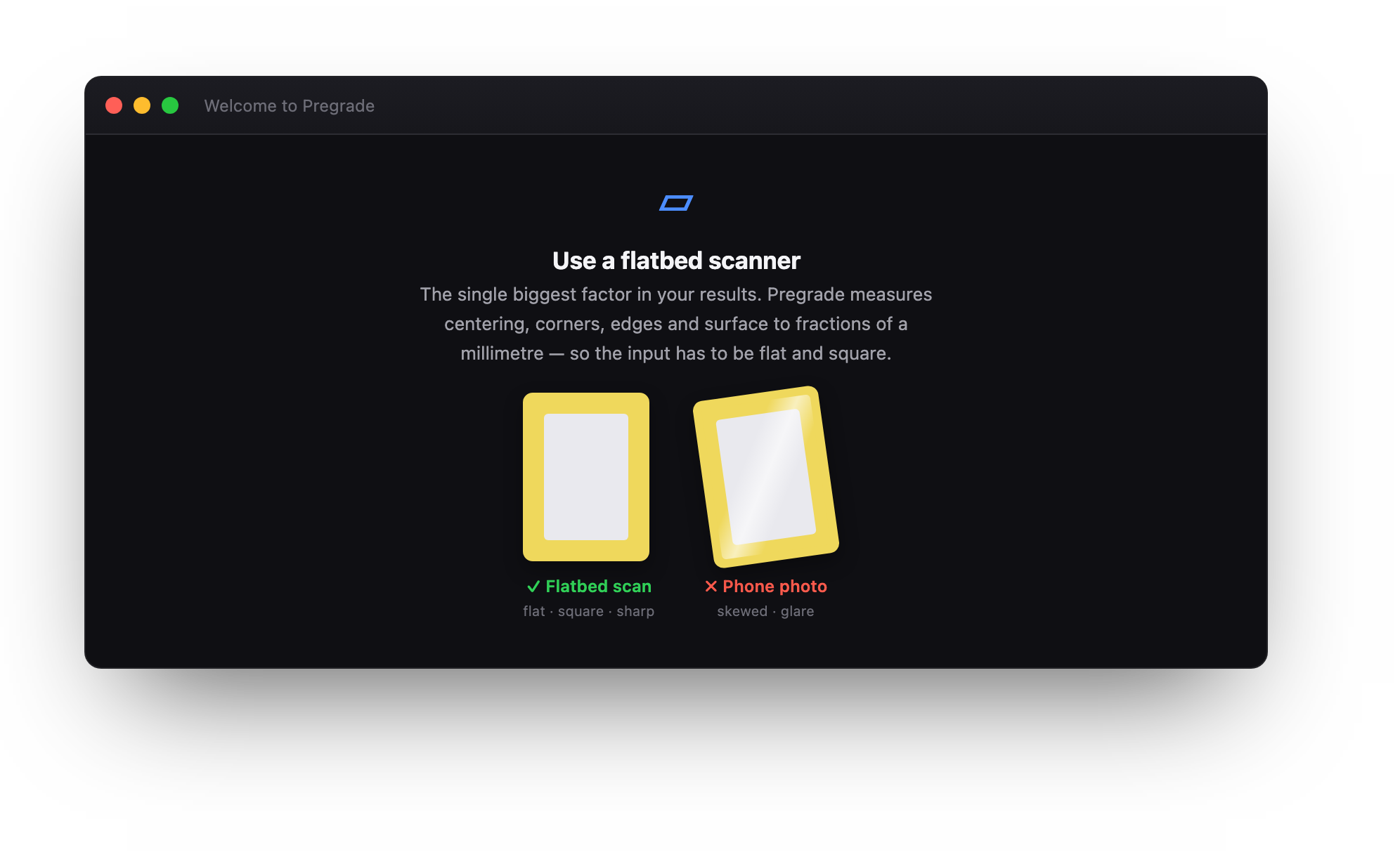
Onboarding step 2 of 5. The comparison does more than a paragraph could — the message lands in a second.
3. Keyboard-first grading
Grading a batch means rating eight corners and eight edges per card. With a mouse that's death by a thousand clicks. Each corner/edge opens a detail view where 1–6 rates it, arrow keys move between them, and Enter advances — a power user grades a whole card without touching the trackpad. Auto-measure handles centering: it finds the card edge (blue guides) and the inner print border (orange guides) by contrast and texture, so the collector fine-tunes instead of drawing from scratch.
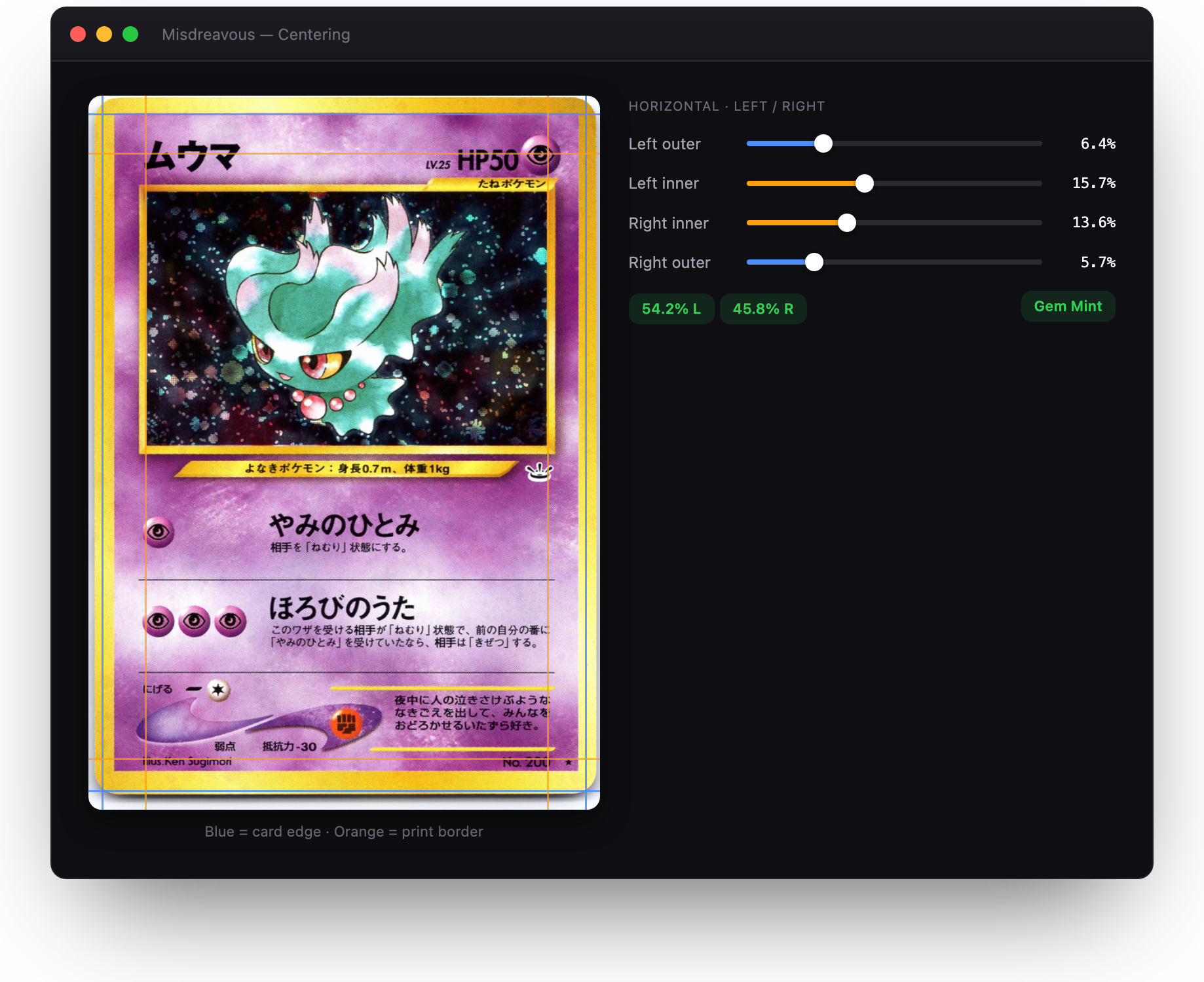
Auto-measured centering. The score is real-time; here a slight left bias reads 54.2 / 45.8 — still Gem Mint on that axis.
4. Grades are a floor, not an average
This was the most important fix, and the one that changed the product. The first scoring model averaged the pillars, so a single flaw barely moved the needle — one rounded corner among seven perfect ones still read as "Gem Mint 10." That's not how grading works, and it quietly made the app dishonest.

I rebuilt it so each pillar earns a 0–10 subgrade and the overall grade is the lowest of the four — mirroring how PSA and BGS actually think. Now a chipping edge visibly caps a card at 7 and the report says why ("Limited by edges"). A companion bug hid in the prediction engine too: it selected the best corner instead of the worst, so predictions had also been inflated. Both are now covered by unit tests — including one whose name is the spec: oneBadCornerCapsTheGrade.
5. Calibration closes the loop
You can record the grade a card actually received after submission. Pregrade compares it to what it predicted and surfaces the delta — so the tool gets more trustworthy the more it's used, and a mismatch flags either a mis-rated pillar or a model to tune. It's the difference between a gadget and an instrument.
Craft
Beyond the model, the work was in the small correctness details that make a tool feel solid:
- Re-assessment now restores saved work — re-opening a graded card used to silently reset every pillar to defaults; it now hydrates the exact saved centering guides, corner/edge ratings and surface defects.
- Surface auto-scan was rebuilt from a single-pixel sampler into a texture-adaptive statistical detector — it flags real anomalies on plain stock, stays quiet on clean cards, and doesn't flood on busy holo foil.
- Keyboard, focus and Escape handling reworked to be robust against macOS's quirky key routing.
- The PDF export mirrors the on-screen report in a light theme, ready to share or attach to a submission.
- A Swift Testing suite locks the scoring, guides, predictions and calibration behaviour.
Where it's going
The Mac build is the workbench; an iPhone companion puts a quick pre-grade in your pocket at the card shop or show. The UI already abstracts platform image handling, so screens port cleanly. Next: a backend for accounts and a marketing list, then a free / Pro split sold direct, sidestepping the App Store cut until it earns its place.
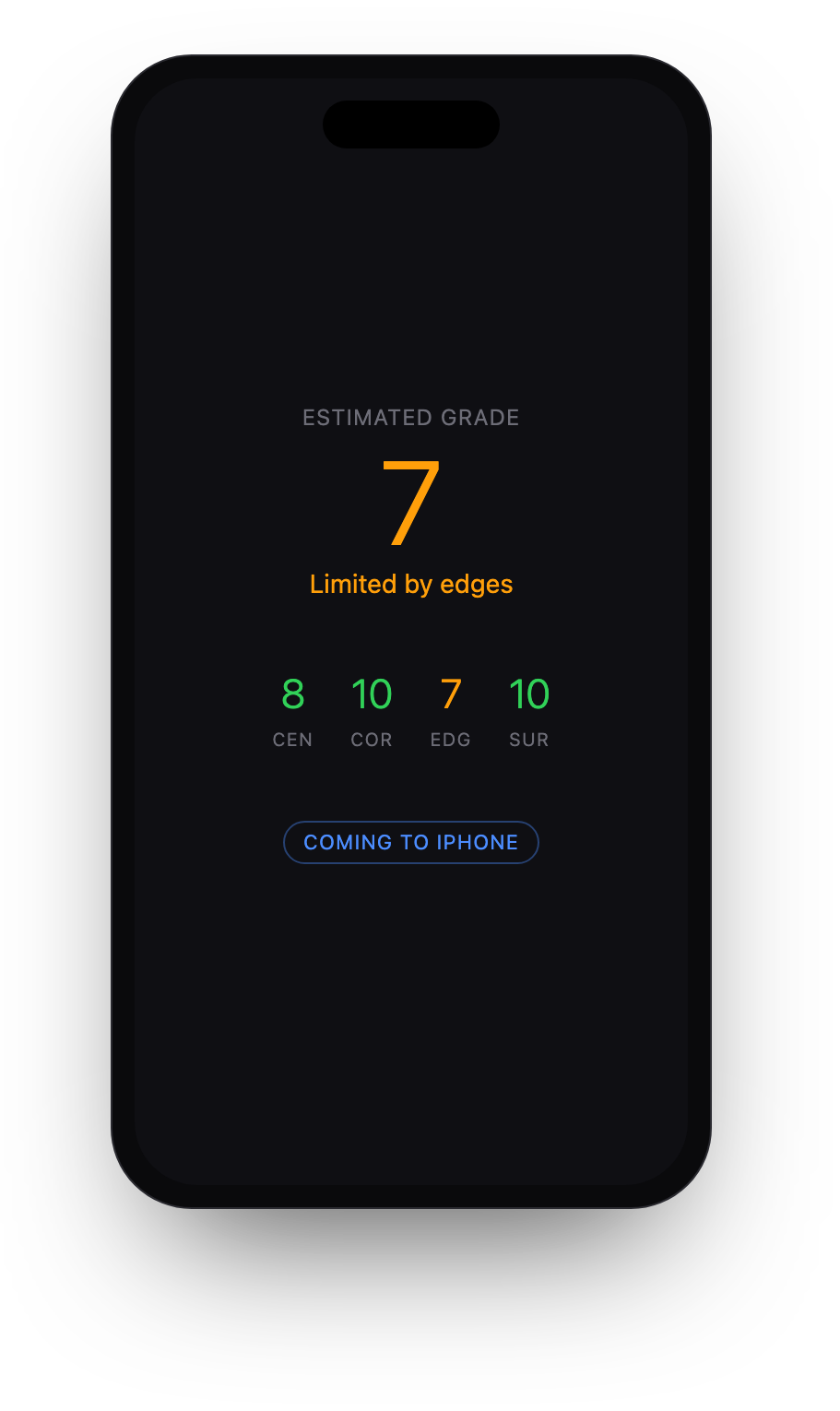
The report, reimagined for iPhone. Same floor-grading logic, one-thumb read.
Pregrade gives a potential outcome, not a guaranteed grade. It is not affiliated with, endorsed by, or liable for the decisions of any grading company (PSA, BGS, TAG, ACE, etc.). © Beyond Industries Ltd.